
Durable workflow engine for getting things done
Orchestrate and observe computational workflows defined in plain Python. Suitable for data pipelines, background tasks, agentic systems.
import coflux as cf
import requests

@cf.task(retries=cf.Retries(3, when=IOError))
def fetch_splines(url):
    return requests.get(url).json()

@cf.task(cache=True)
def reticulate(splines):
    return list(reversed(splines))

@cf.workflow()
def my_workflow(url):
reticulate(fetch_splines(url))Monitor
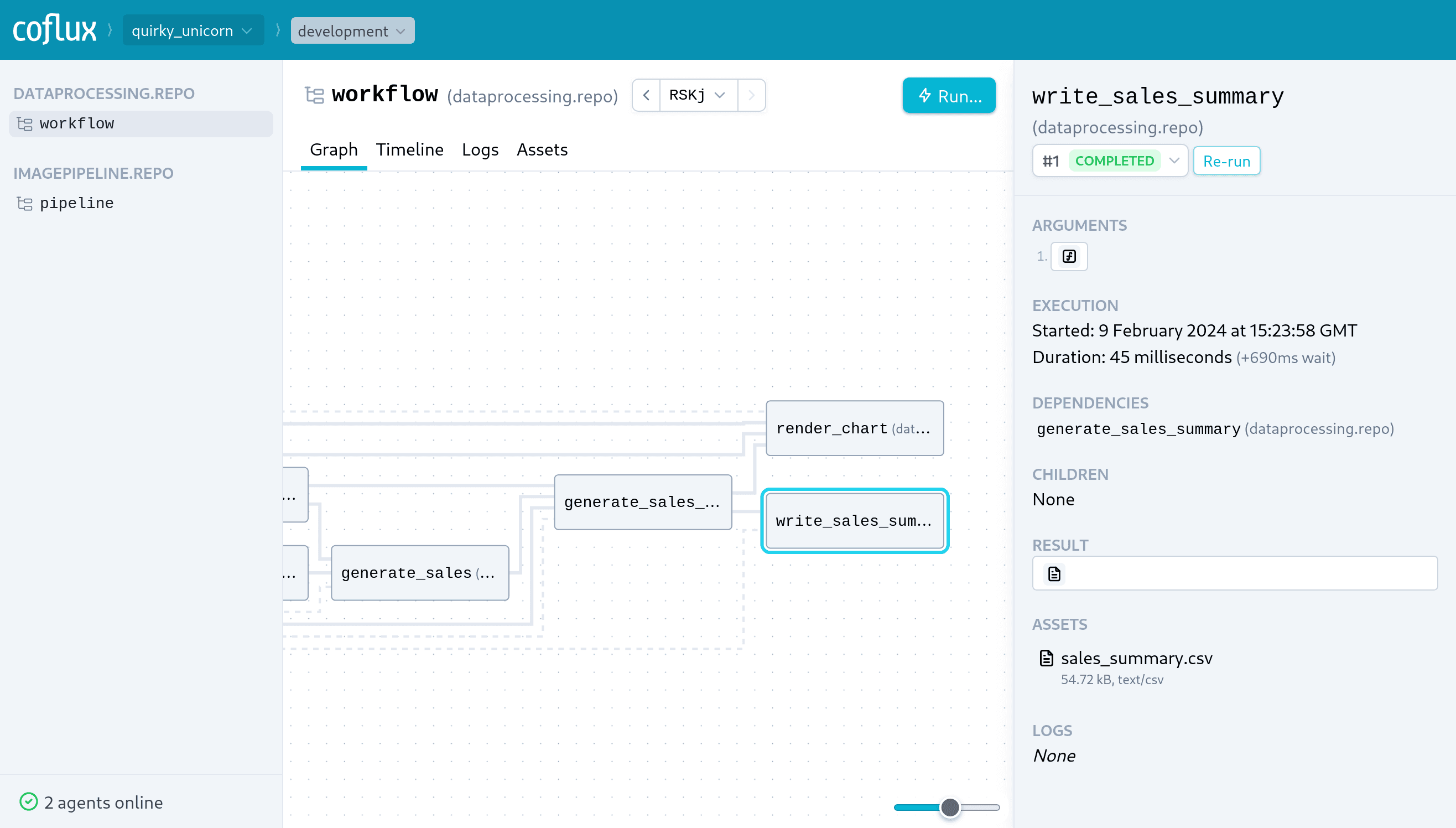
Real-time observability
Watch workflows execute in real-time with Studio's graph-based interface. Debug issues by re-running problematic steps without restarting the whole workflow.
Build
Developer friendly
Optimized for rapid local development. Workers detect code changes and automatically reload. Workflows are defined in plain Python — no static DAGs or magical DSLs.
$ curl -fsSL https://coflux.com/install.sh | sh$ coflux server --no-authServer started. Running on port 7777.
$ coflux worker --dev my_example.workflowsConnecting (localhost:7777, pSTtDMx, production)...
Connected.
$ coflux submit my_example.workflows/my_workflow '"…"'● 1:1 my_example.workflows/my_workflow [RwD6]
├─ ● 2:1 my_example.workflows/fetch_splines
└─ ● 3:1 my_example.workflows/reticulate
Deploy
Worker-based architecture
Maintain control of deploying workers in your own infrastructure. Coflux takes care of orchestrating execution of tasks onto the available workers.
Debug
Probe with precision
- Inspect arguments, results and errors in Studio.
- Re-run just the step that failed — not the whole workflow.
- Memoize tasks to prevent side effects (like sending emails) or expensive queries from repeating when you re-run.
import coflux as cf

@cf.task(memo=True)
def get_recipients(campaign_id):
    return db.query(RECIPIENTS_SQL, campaign_id)

@cf.task(memo=True, retries=1)
def send_notification(recipient):
    mailer.send(recipient.email, ...)

@cf.workflow()
def notify_campaign(campaign_id):
    with cf.group("Send notifications"):
        for r in get_recipients(campaign_id):
            send_notification.submit(r)
Use cases
Data pipelines
Background tasks
Control systems
Bioinformatics
Model training
AI agents
Features
Batteries included
Easily enable per-step features as needed and focus on business logic. Sensible defaults that can be customized as needed.
Distributed execution
Start up as many workers as needed, and Coflux will distribute the workload between them.
Low-latency
Scheduled tasks are run in isolated processes, and start in milliseconds.
Caching
Enable caching for a task to have the result be re-used across runs.
Debouncing
Defer execution of a task — e.g., to send a user notification — until tasks have stopped being scheduled.
Retries
Automatically retry failed tasks (with exponential backoff). Or manually trigger retries of individual steps in Studio.
Telemetry
Follow log messages and metrics charts in real-time. Include variables and references to executions and assets.
Assets
Share files and directories between steps. Inspect and preview contents in Studio.
Inputs
Prompt users for inputs — e.g., to approve an action or capture structured inputs.
Join the mailing list
Get notified of new product features.